Find Your NVR Serial Number
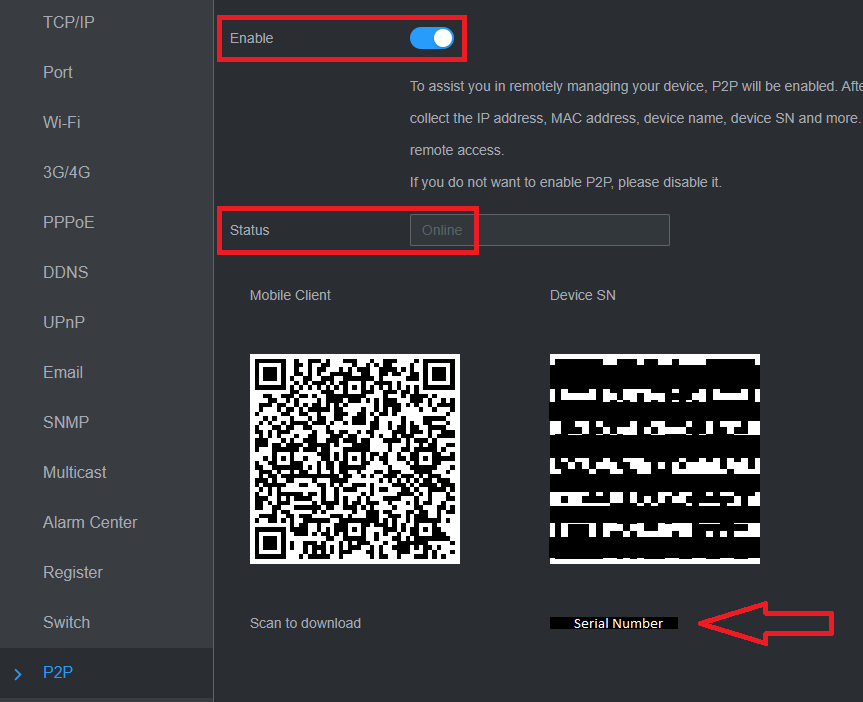
Note: You will need the NVR software serial number to view the cameras via DMSS and SmartPSS. The NVR must be connected to the Internet.
It’s documented on the datasheet that came with your system under SW Serial Number.
There’s a sticker on the NVR if you flip it upside down. For older models, it will be the box serial number, which won’t work on the app.
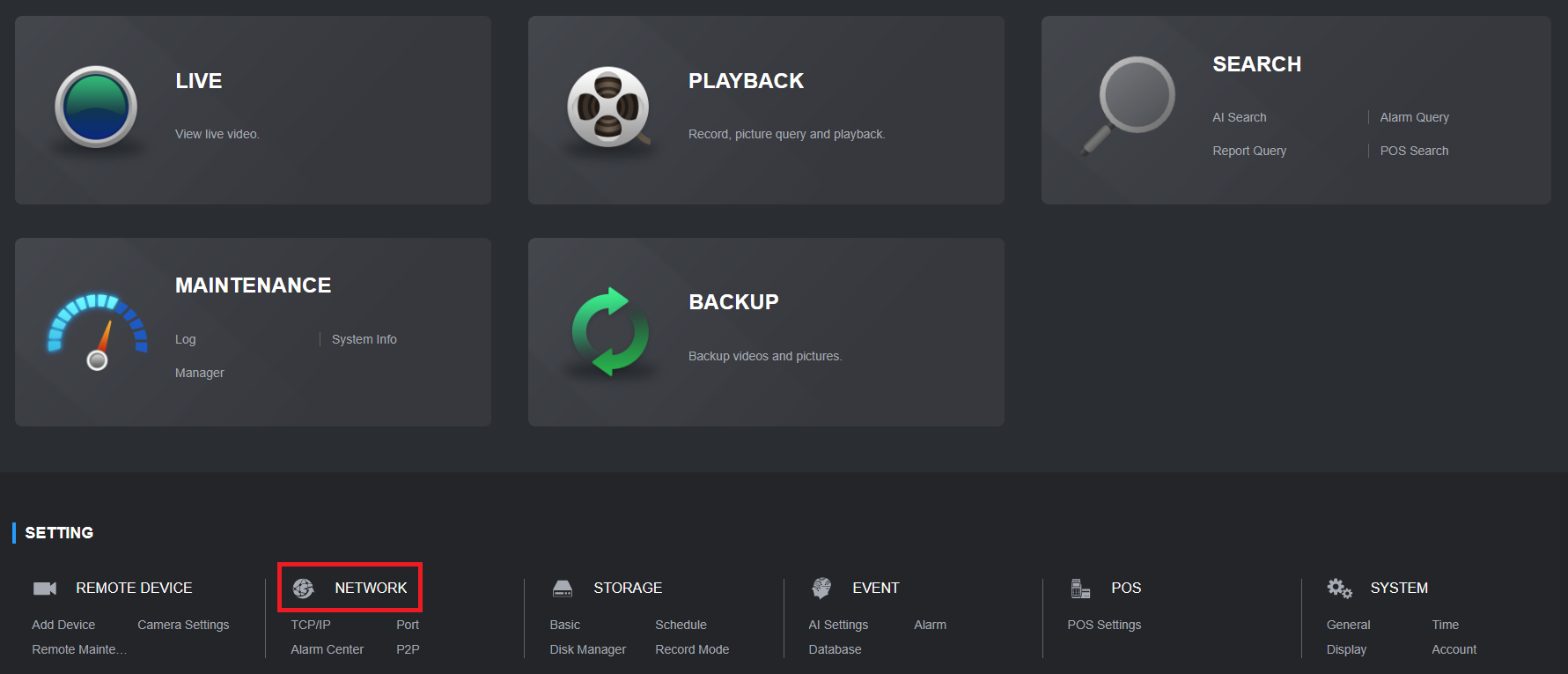
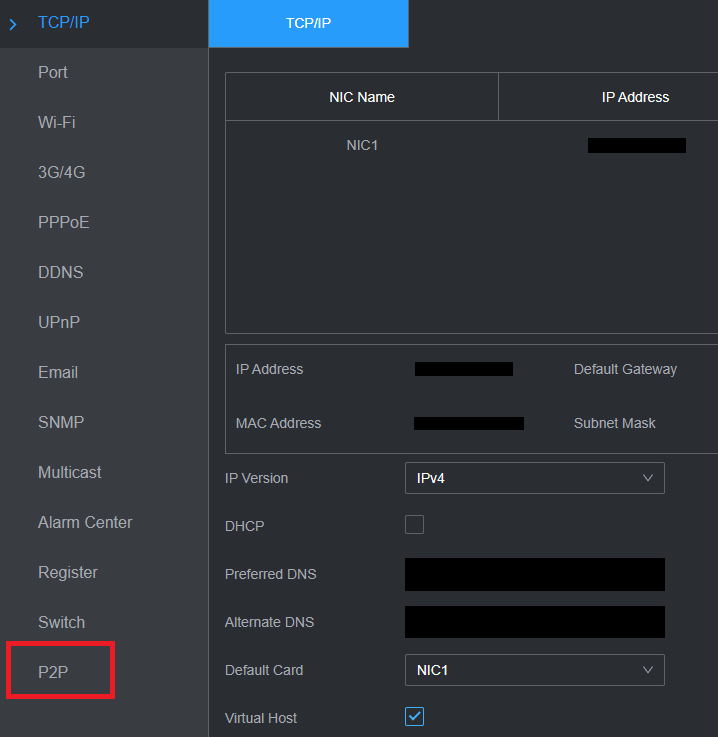
Right-click, then go to Main Menu > Network > P2P. For older models, Main Menu > Network under Setting > Easy4IP.
Note: Status must be Online or Connected or Connect Success.