
DMSS/Share Your NVR to Multiple Mobile Devices
This guide will show you how to share your cameras to multiple mobile devices. NVR is bound to 1 DMSS account only. Other devices must use a separate email.
Instructions
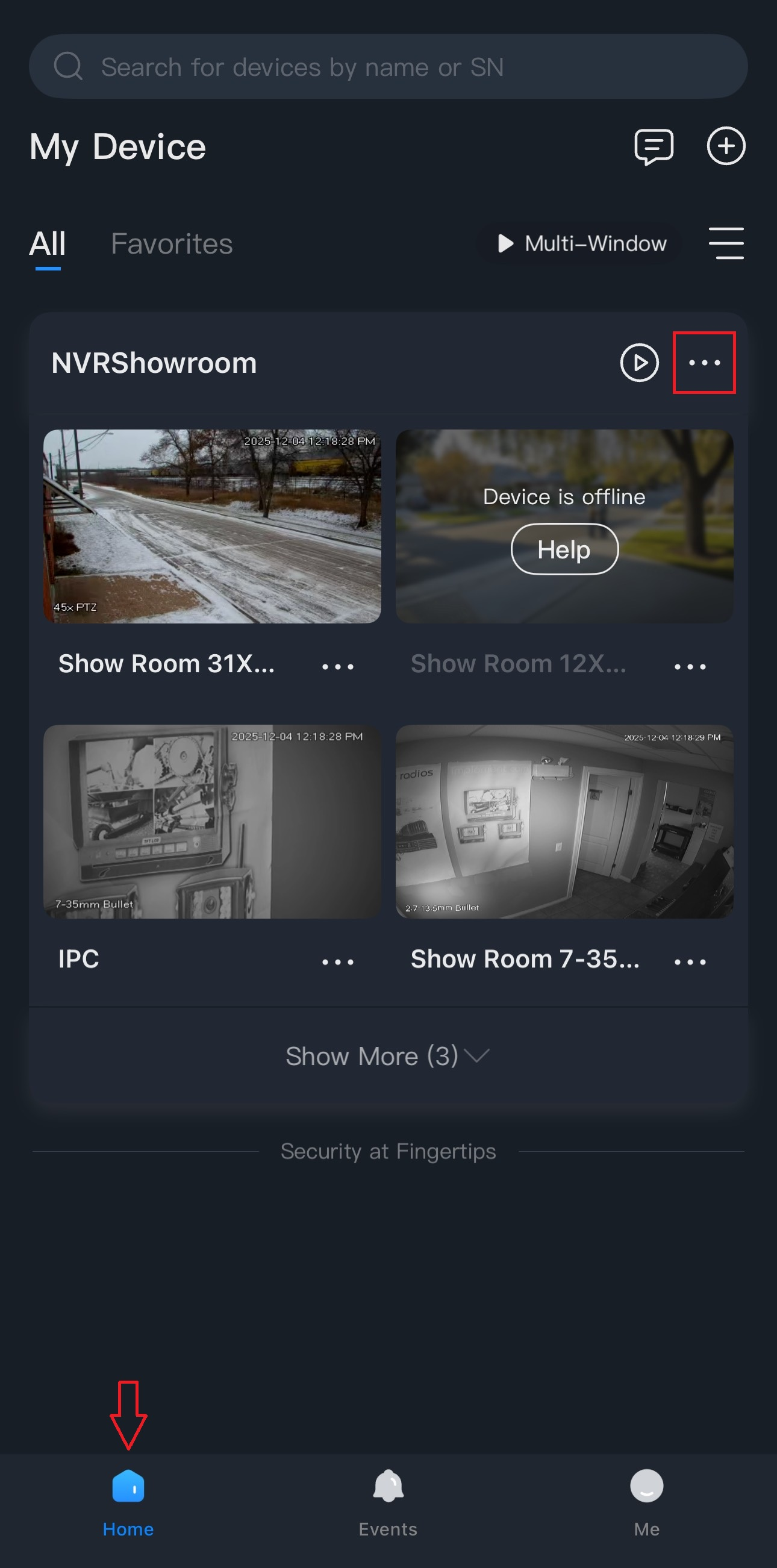
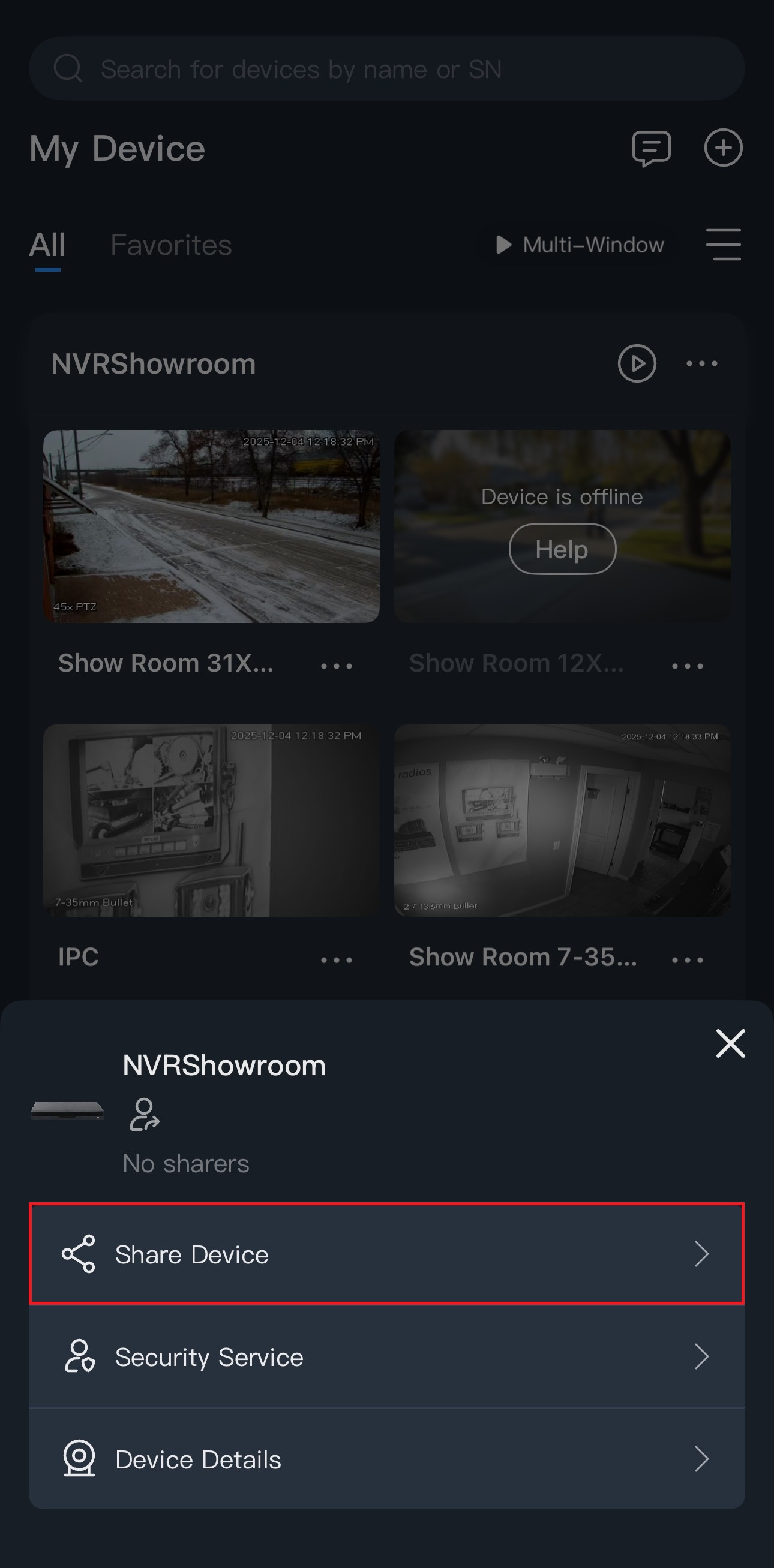
1.) On the Home tab, tap on the 3 dots ( ⋯ ) then go to Share Device.
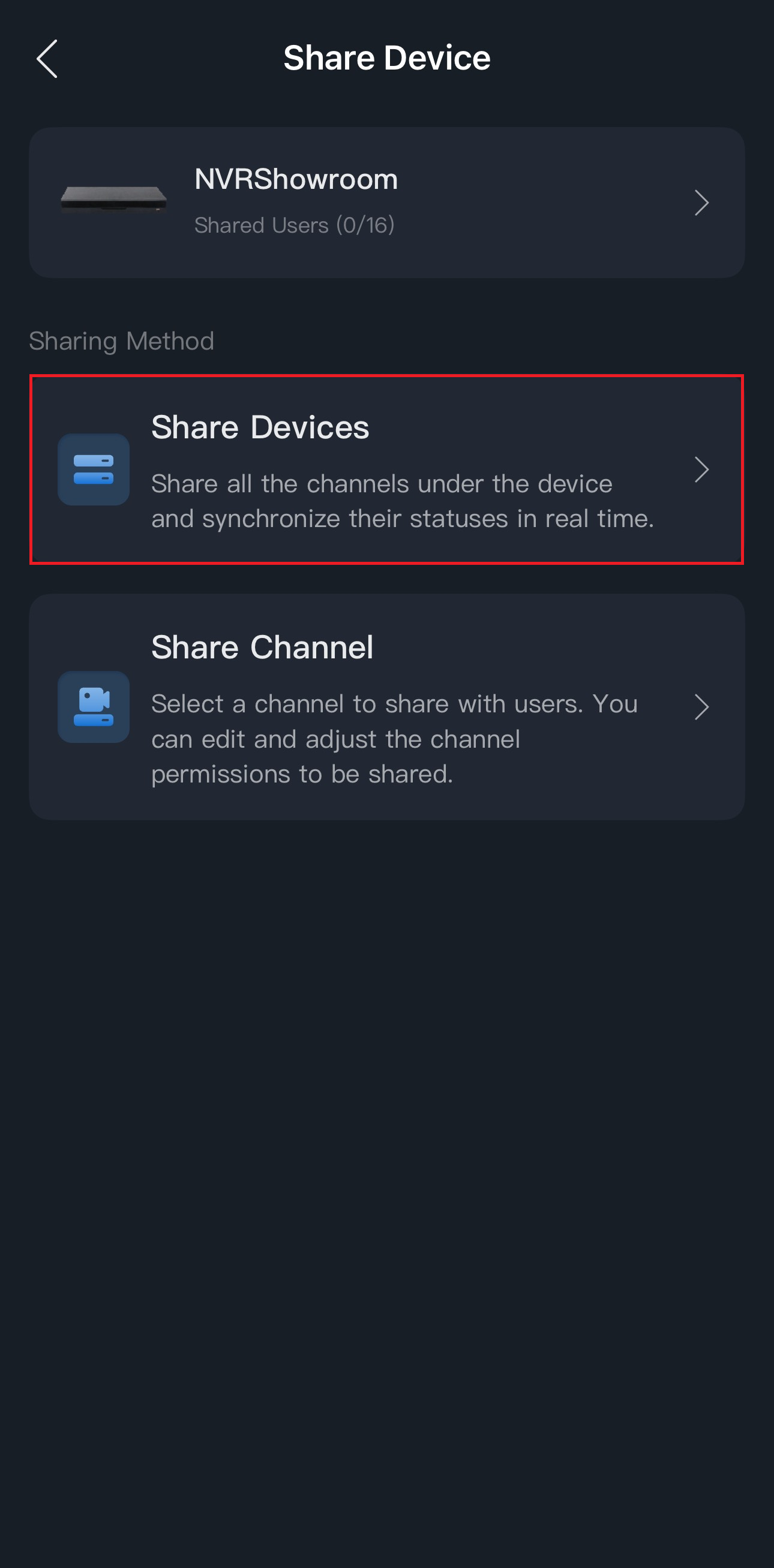
1.) Tap on Share Devices.
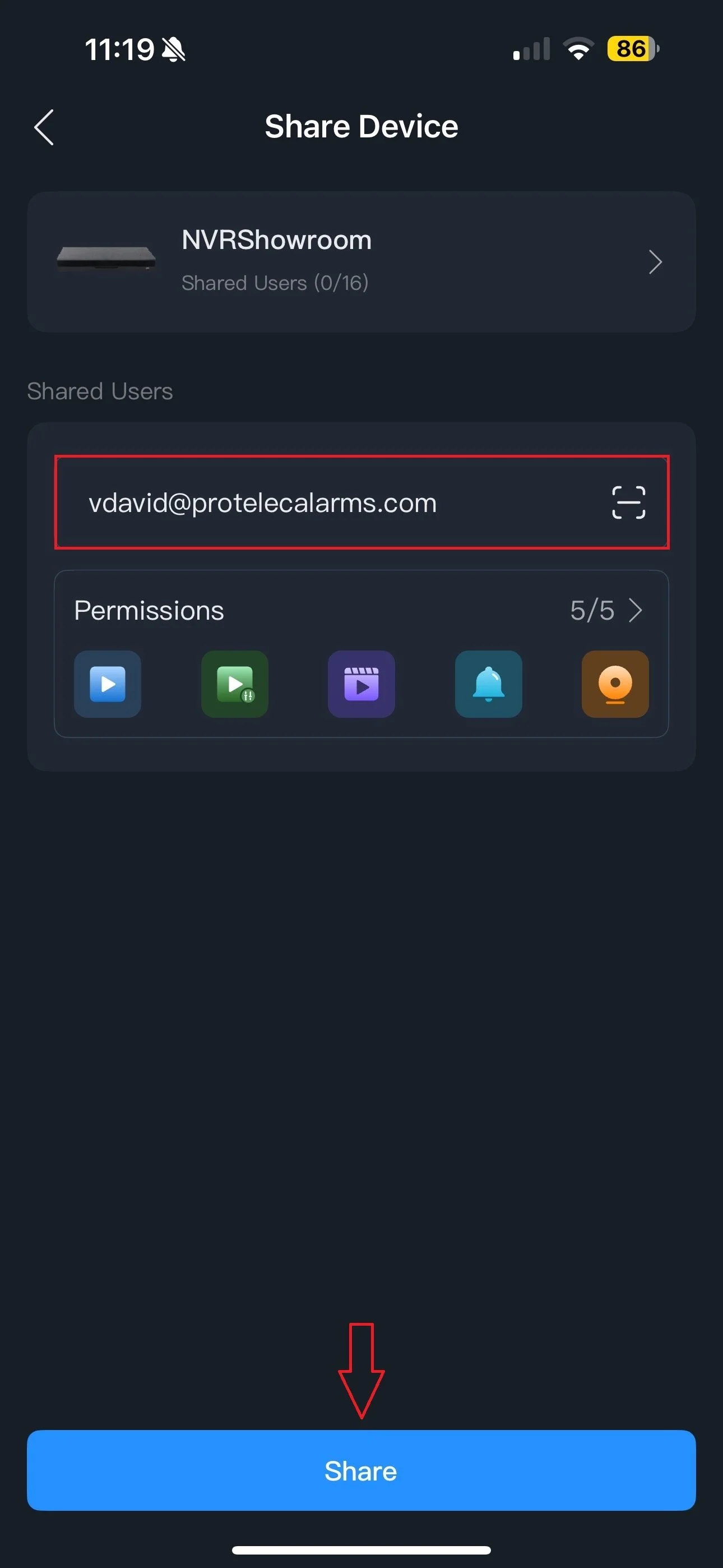
3.) Enter the email that was used to sign into the other device then press Share.
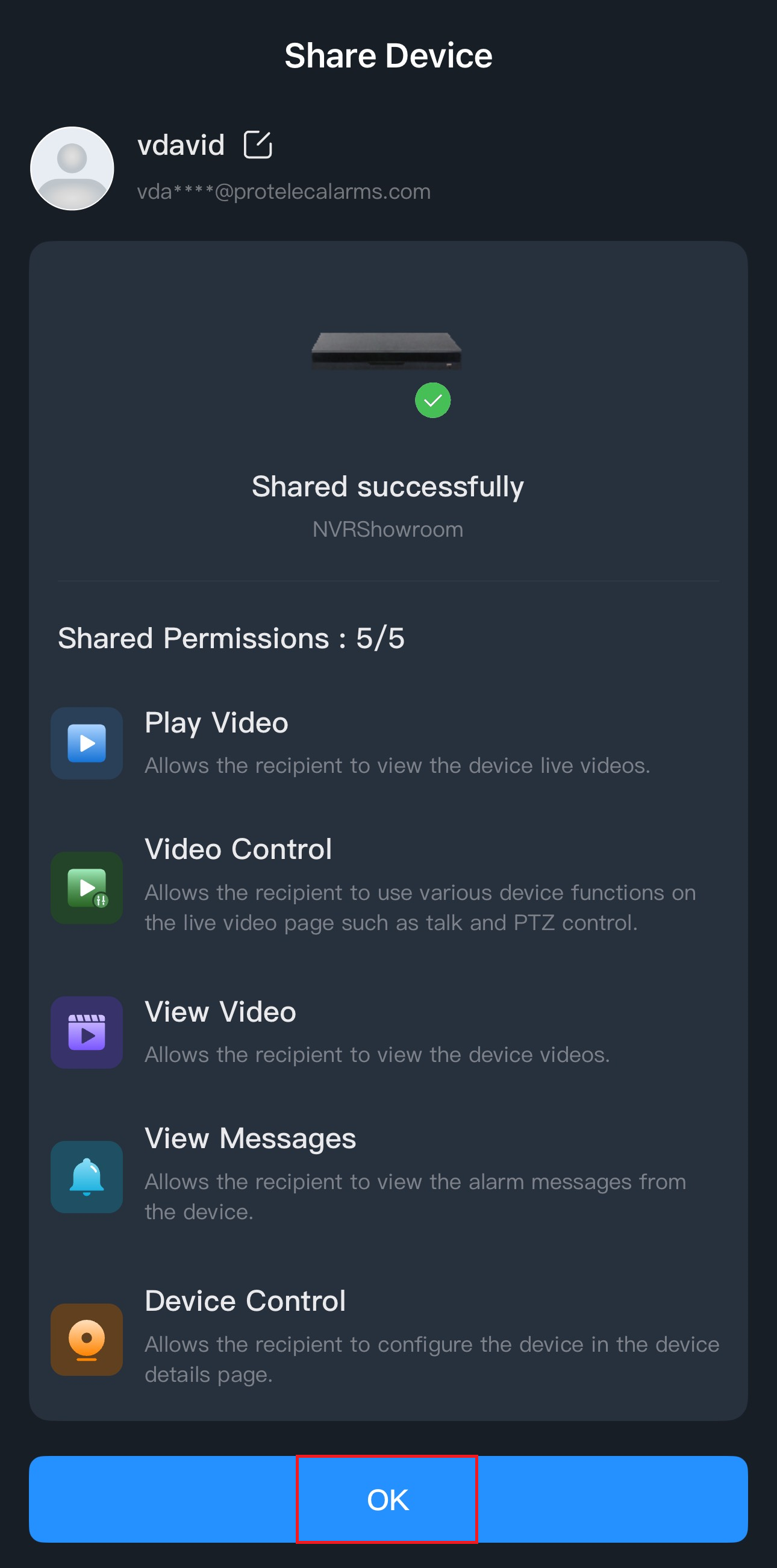
4.) You’ll get a confirmation at the end. Press OK.
The other device will receive a notification on the app and you’ll see the cameras under the Home tab.
Click here to go back to the instructions list.