
DMSS/Enable Smart Motion Detection
Instructions
This guide will show you how to get alerts from incoming cars or people in your yard.
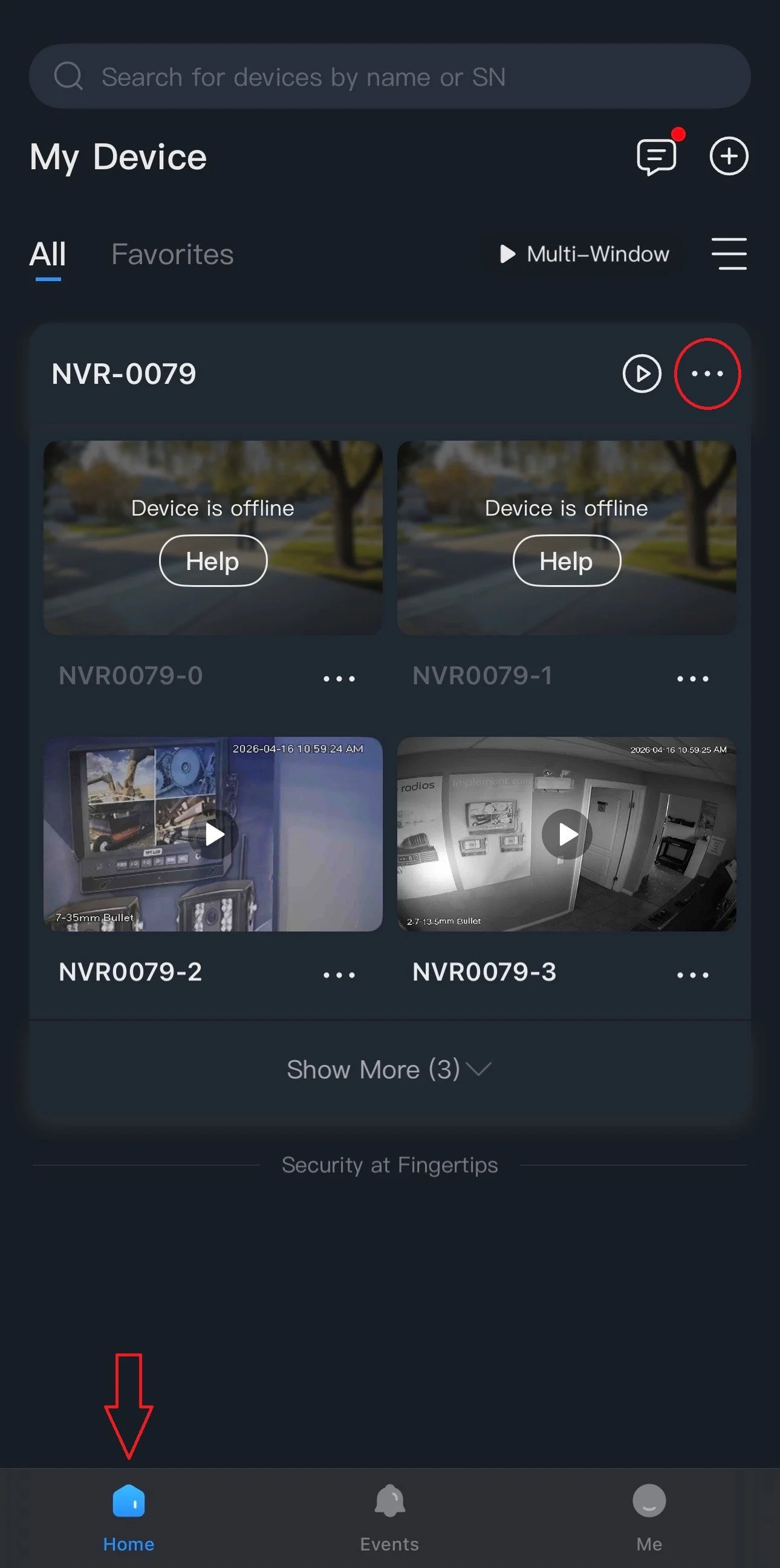
1.) On the Home tab, tap on the 3 dots ( ⋯ ) then go to Device Details.
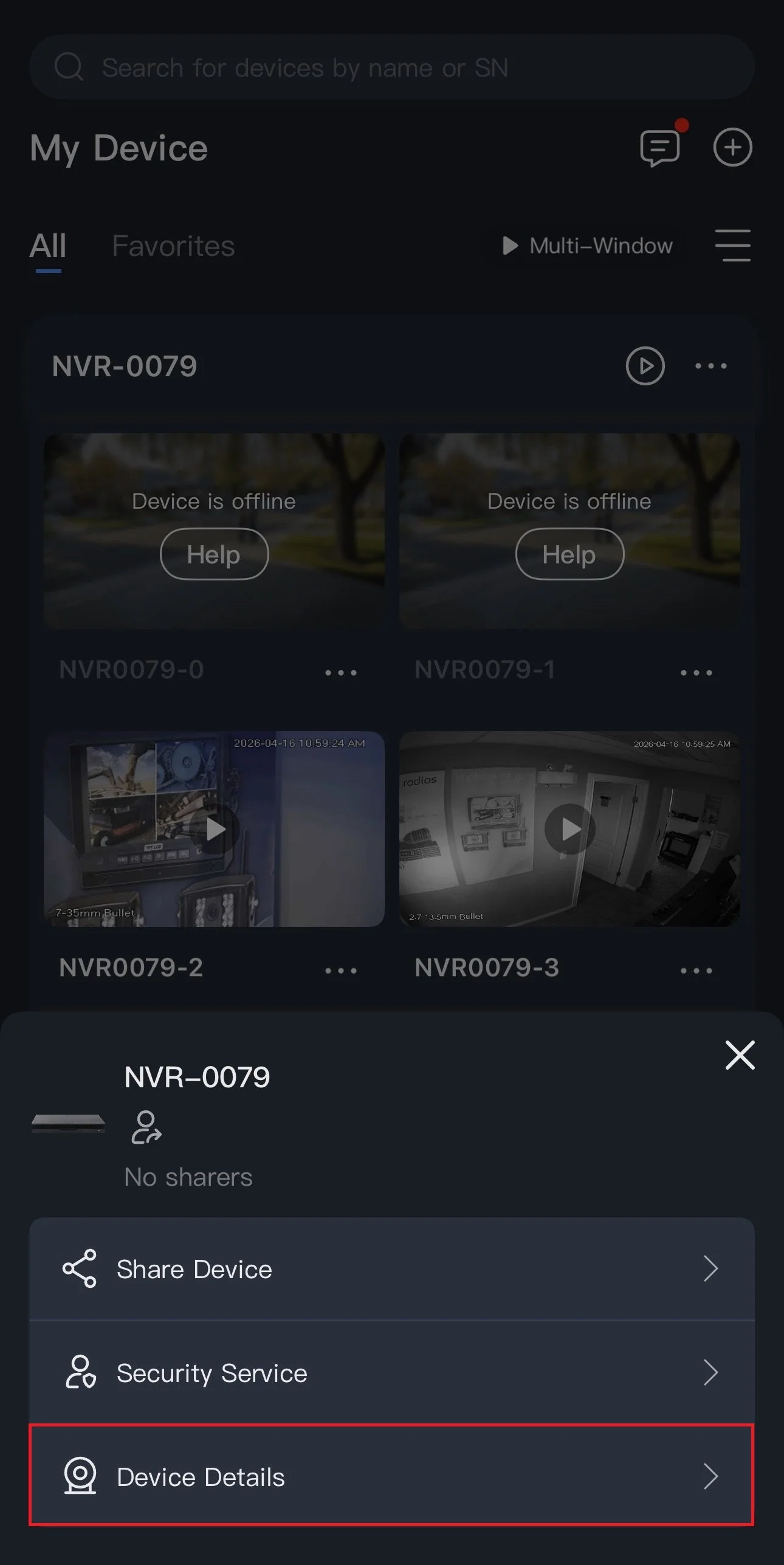
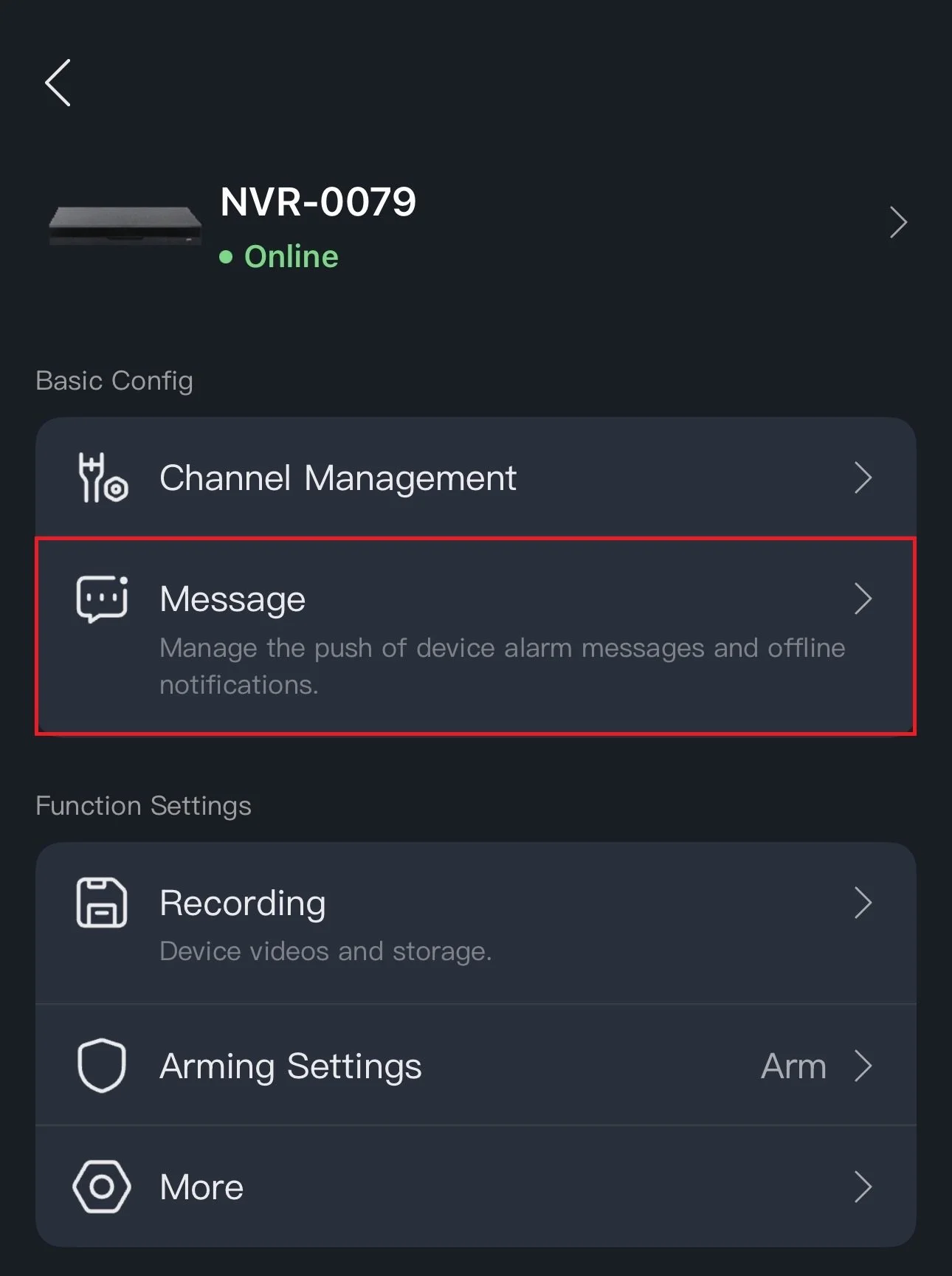
2.) Tap on Message.
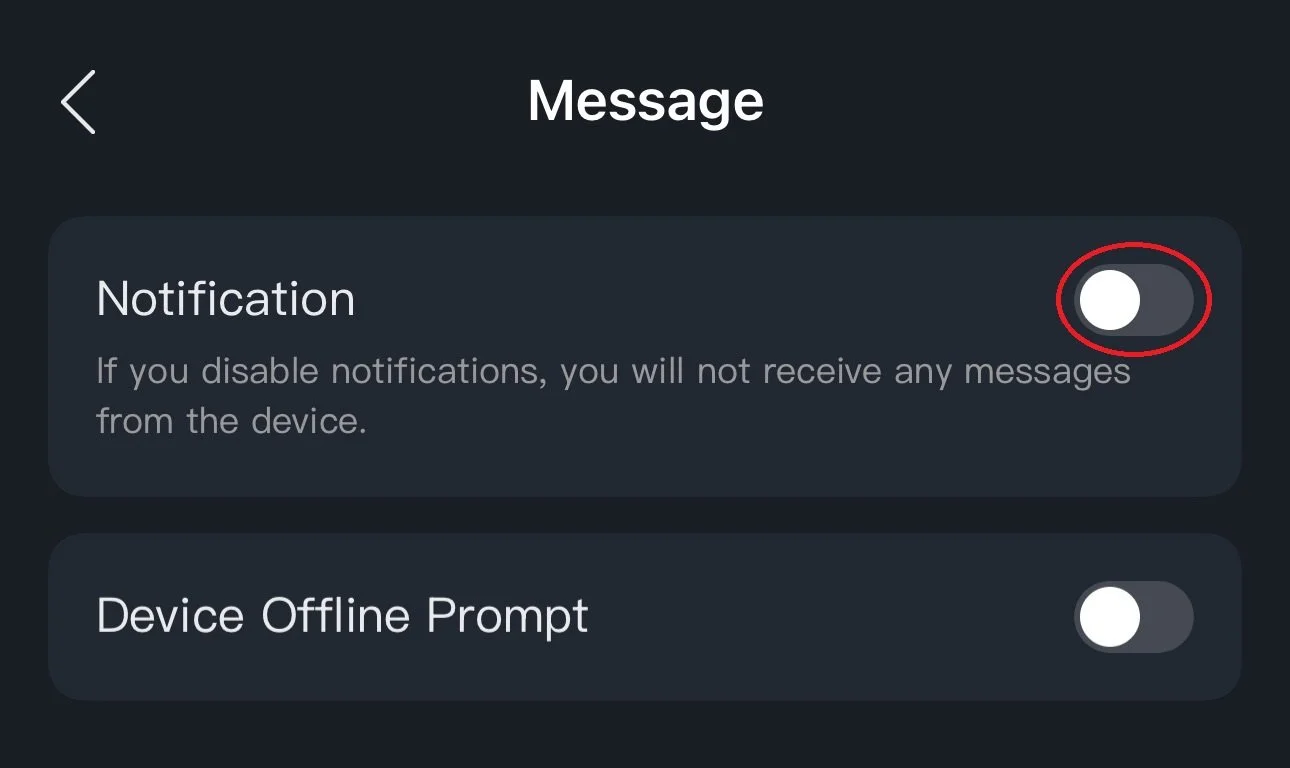
3.) Tap on the switch to enable push notifications. Ensure “Receive Messages and Send Notifications” is checked off.
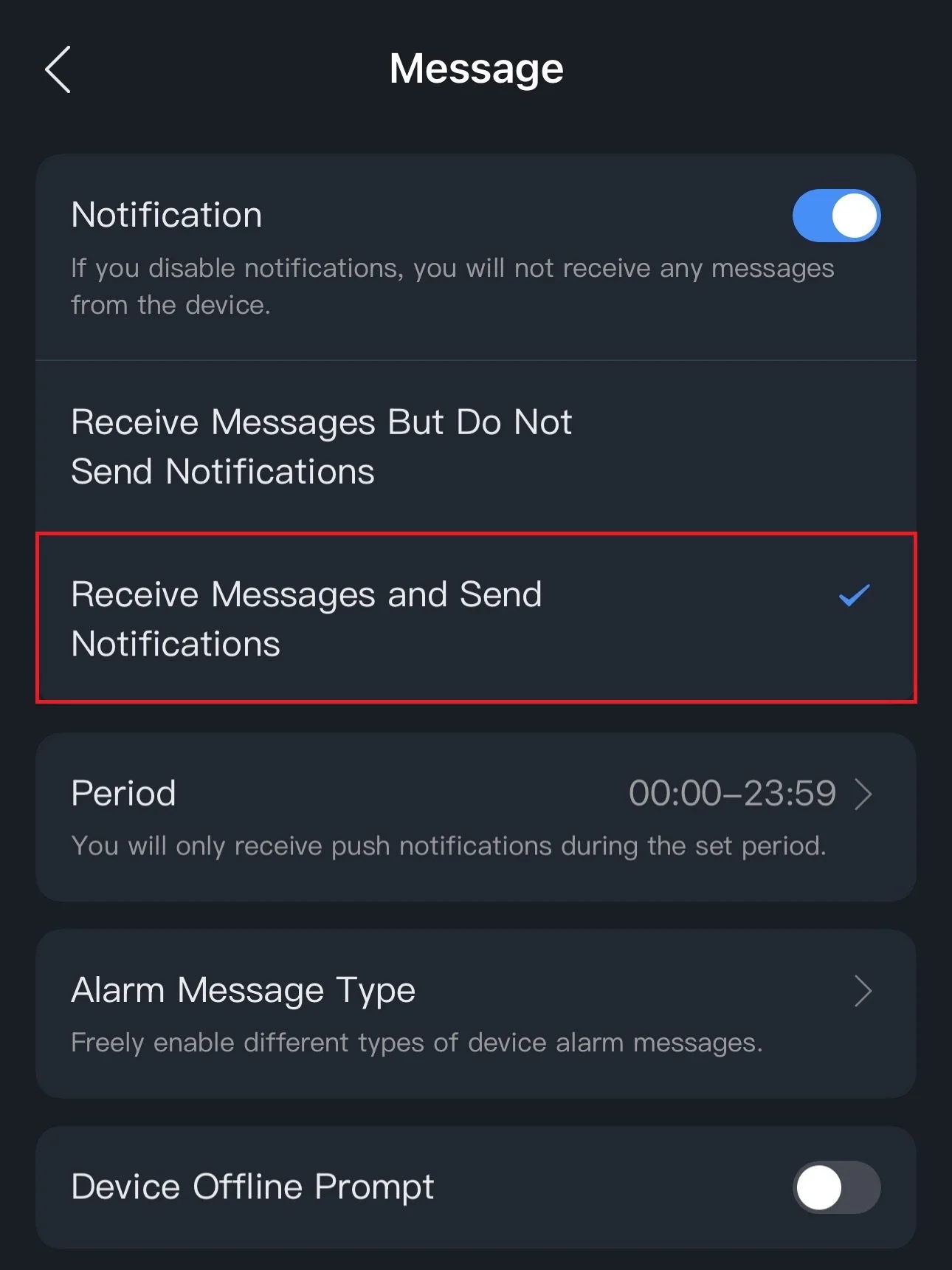
4.) Go to Alarm Message Type.
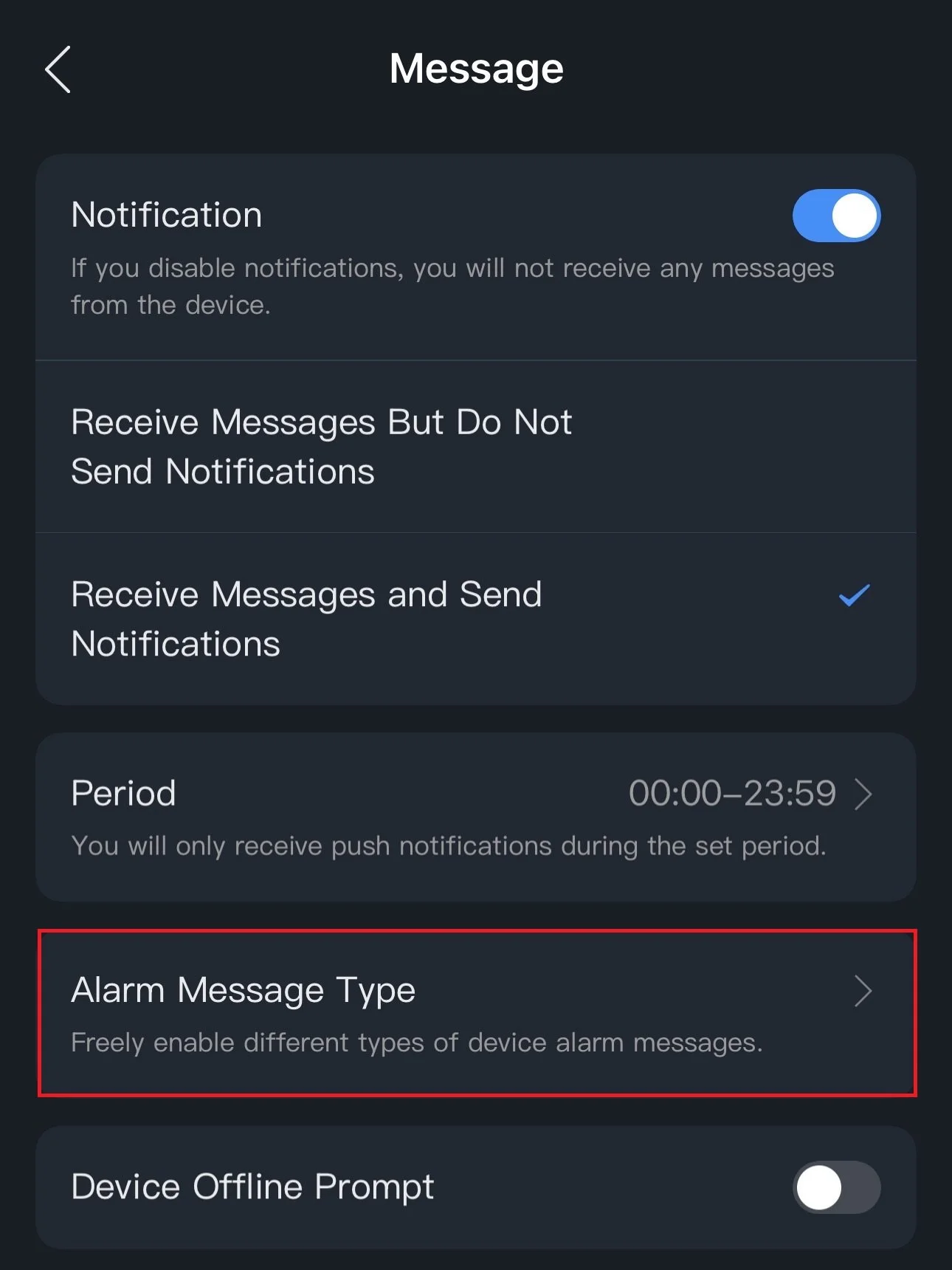
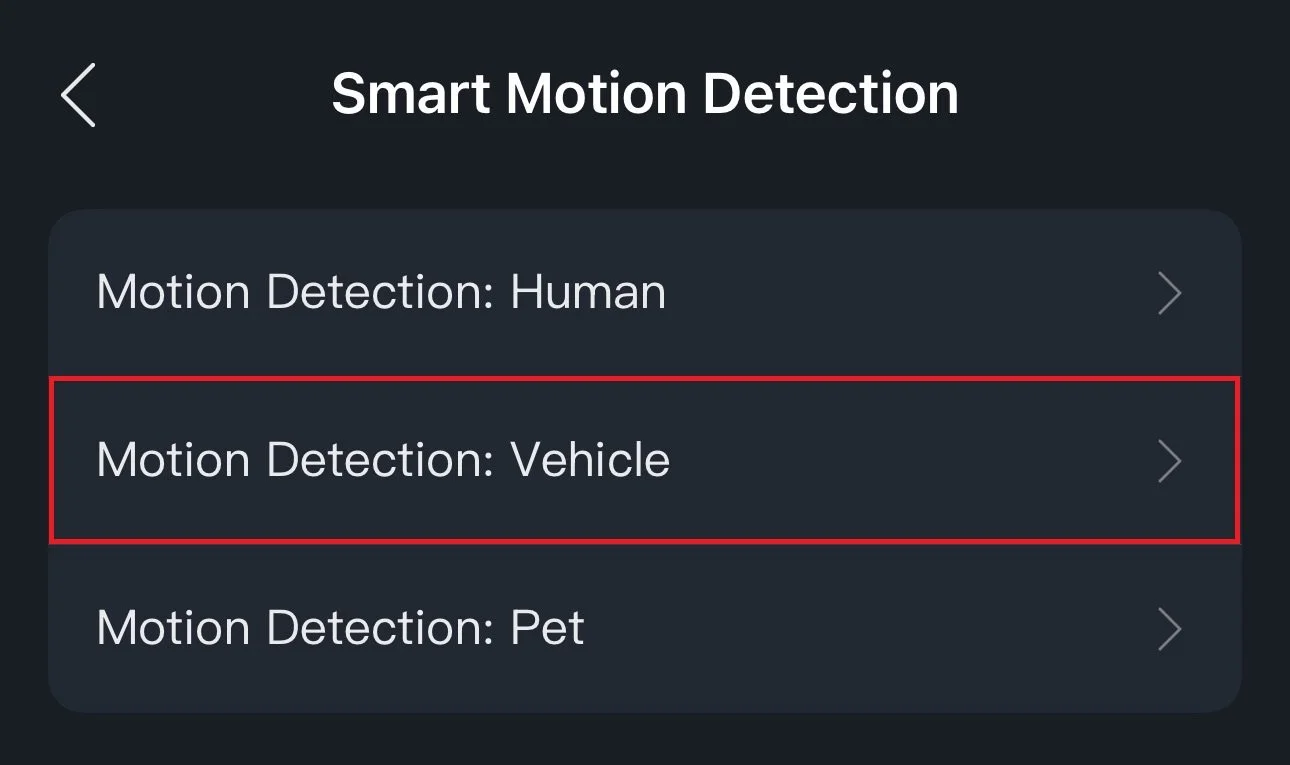
5.) Tap on Smart Motion Detection.
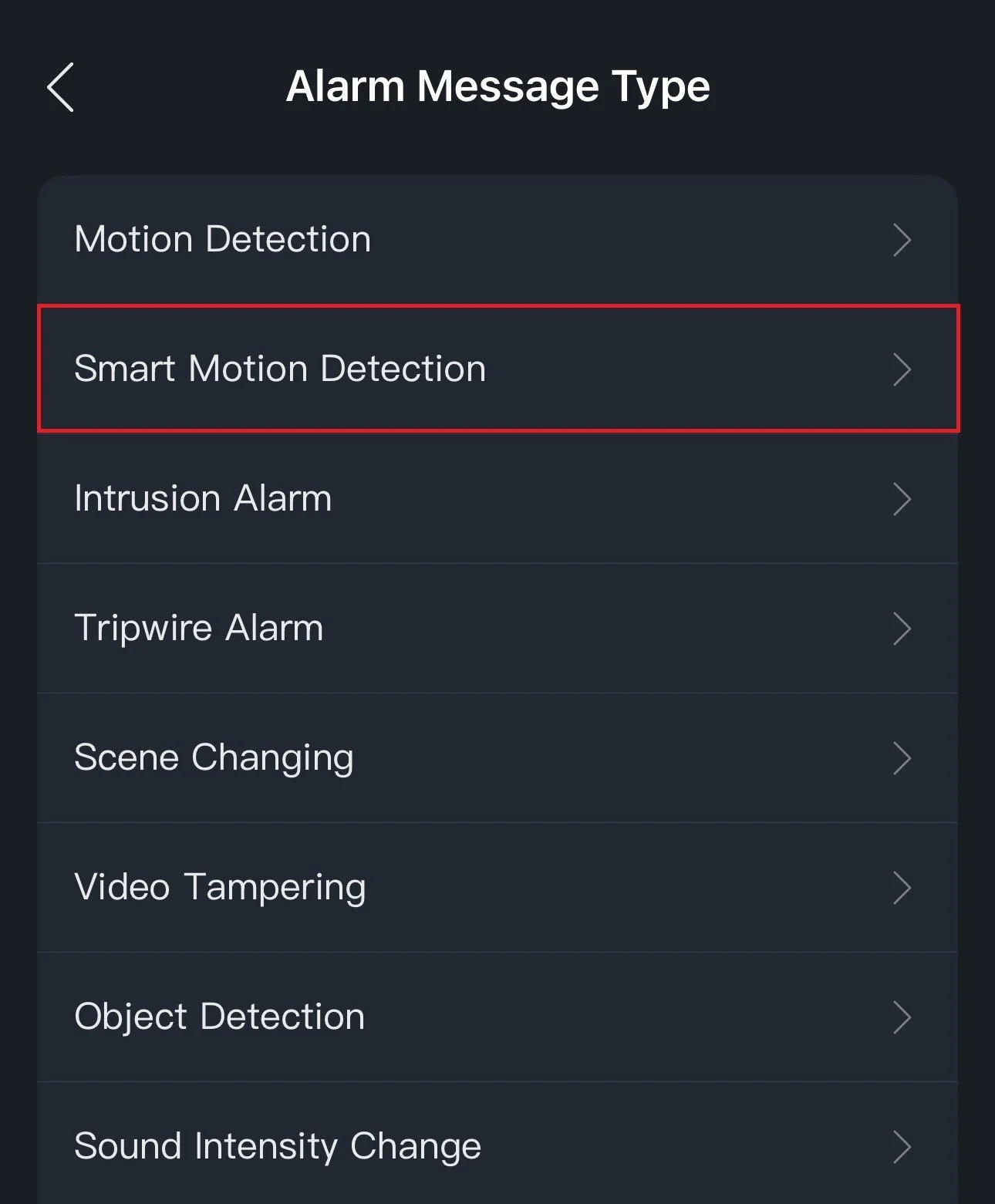
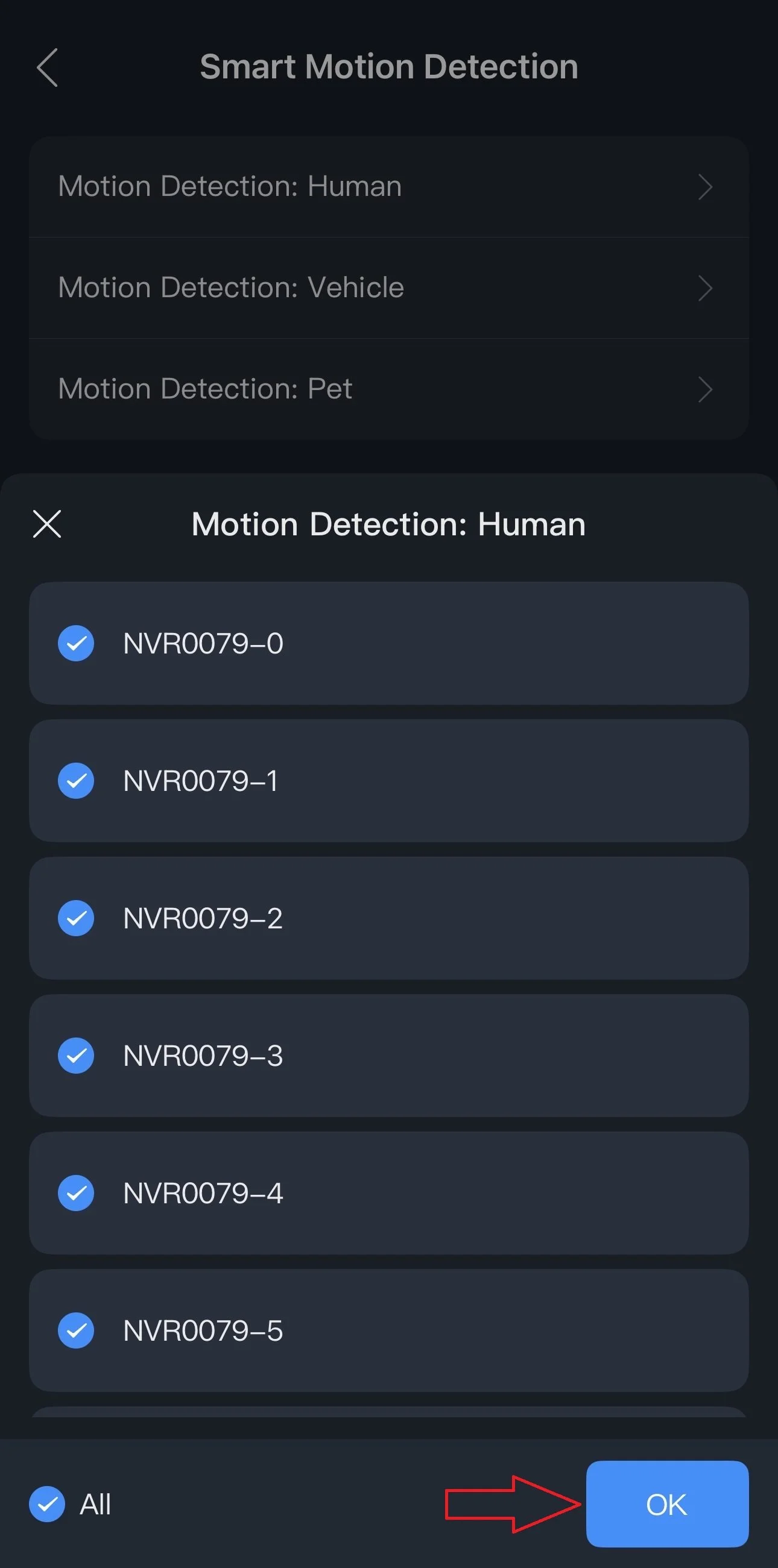
6.) Go to Motion Detection: Human then select your desired cameras and press OK.
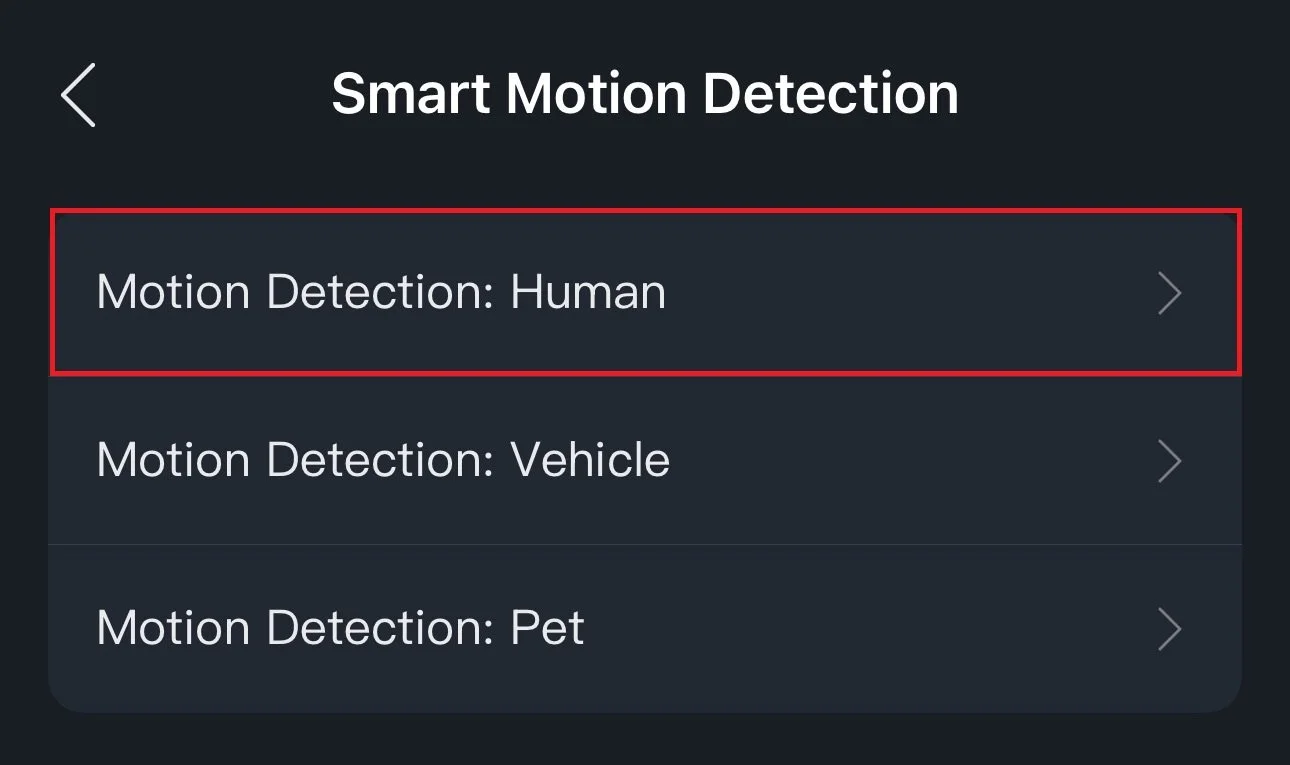
7.) Go to Motion Detection: Vehicle then select your desired cameras and press OK.
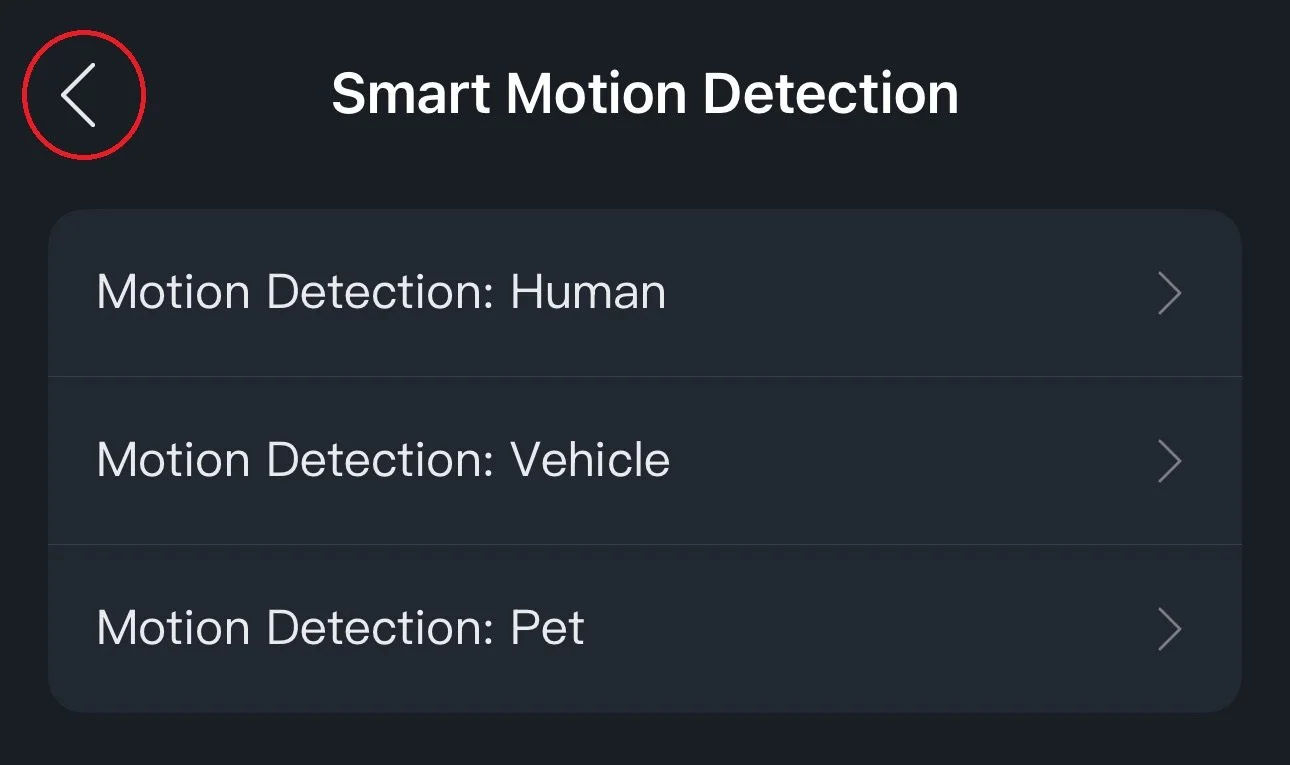
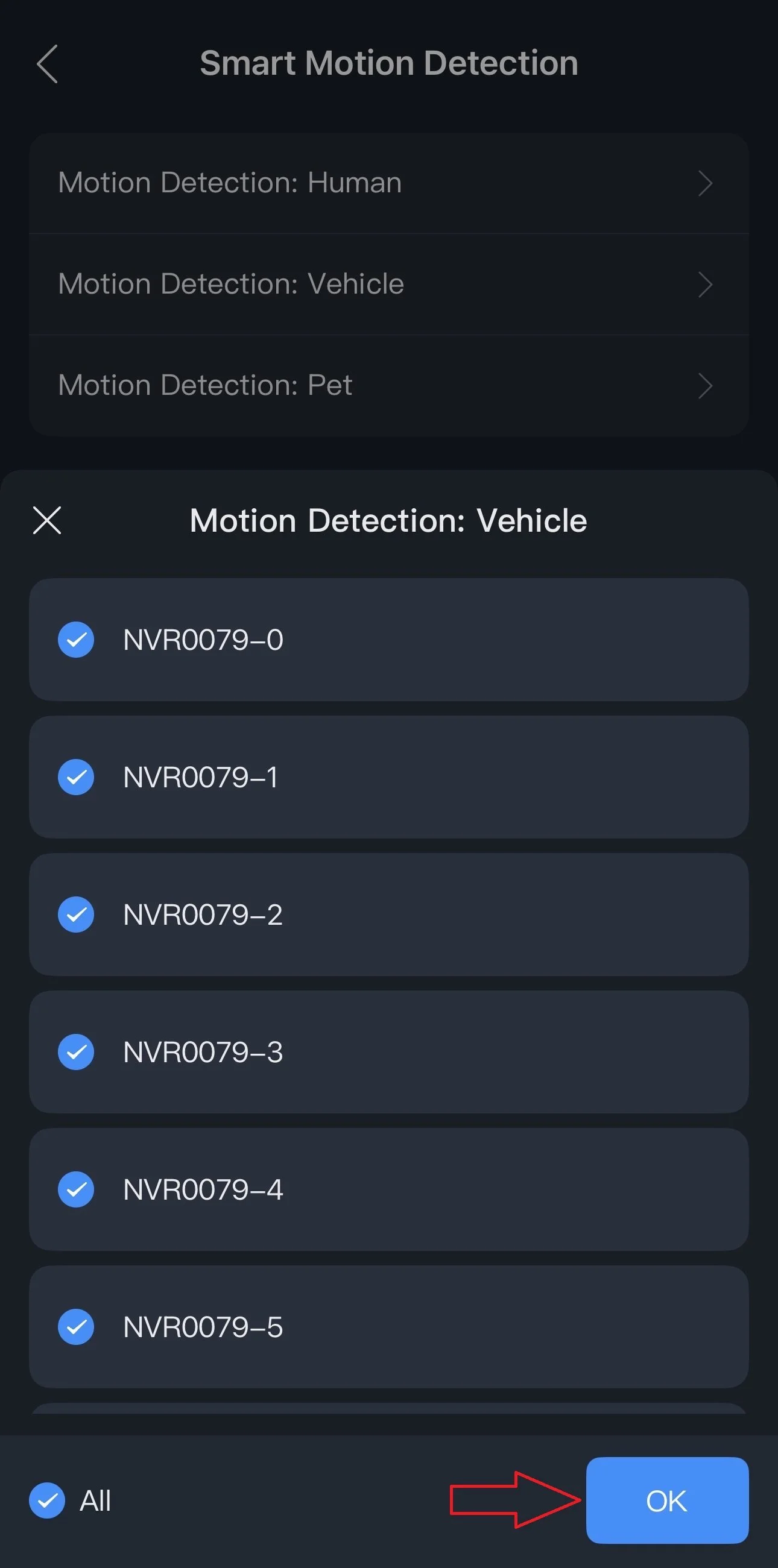
8.) Now that it’s configured, simply press the back arrow in the top left corner to navigate back to the homepage.
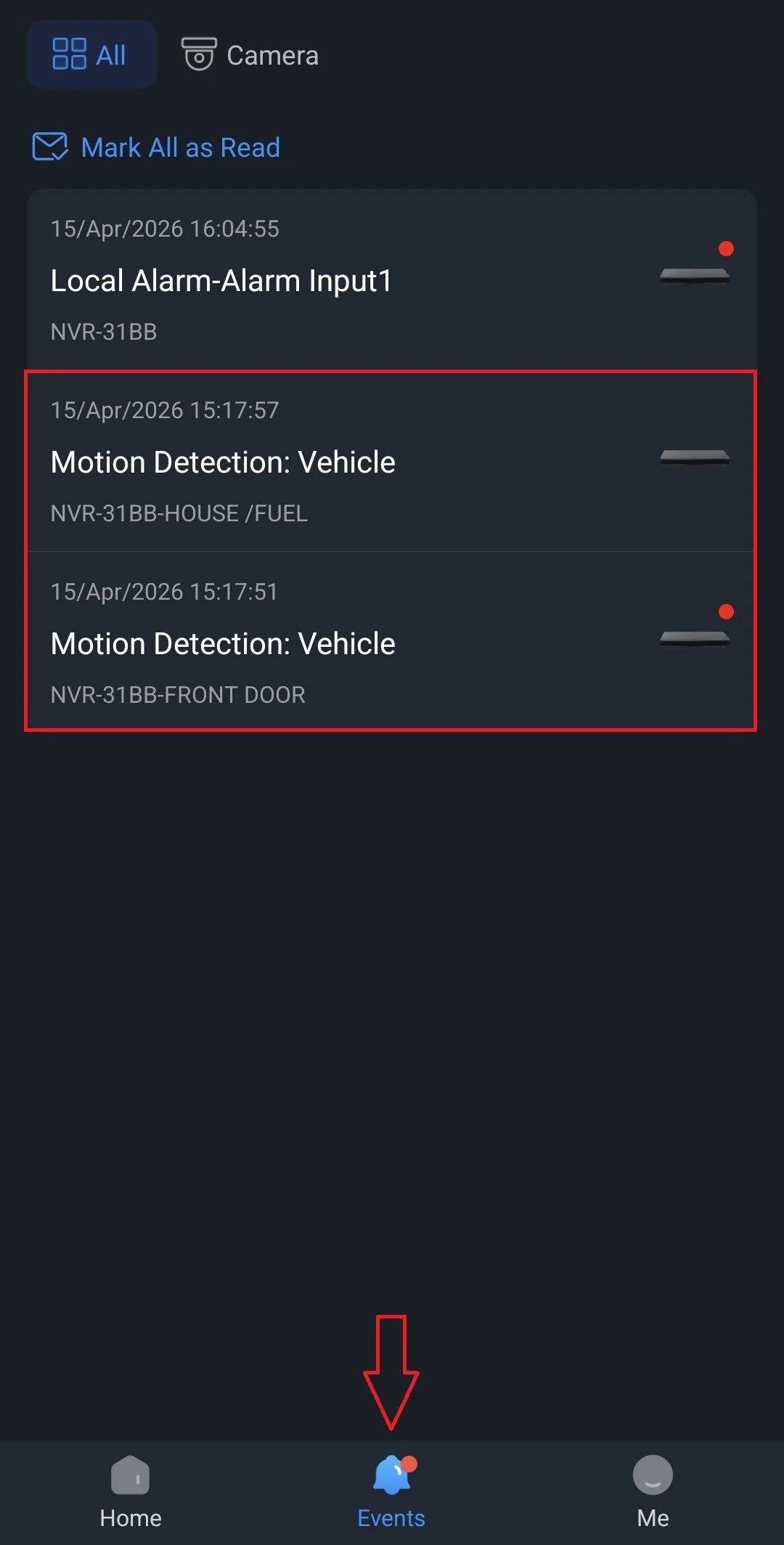
9.) Alerts will appear under the Events tab. Tap on the alert to watch a short playback.
The alert playback duration can be adjusted under Me > Settings > Video Duration in Message.