
DMSS/ Enable Cellular Data
This guide will show you how to enable cellular data for DMSS.
Instructions
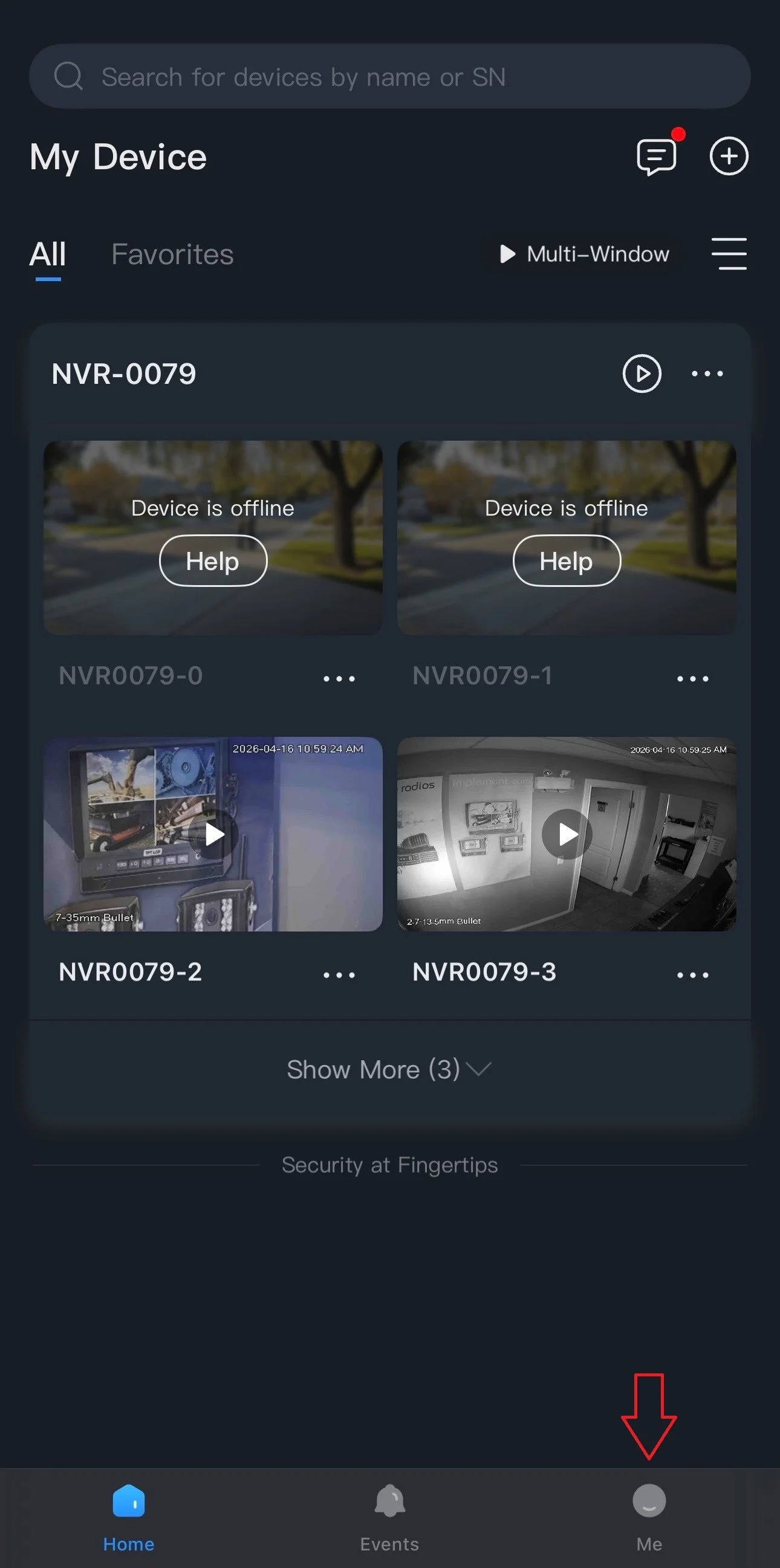
1.) Go to Me, on the bottom right corner.
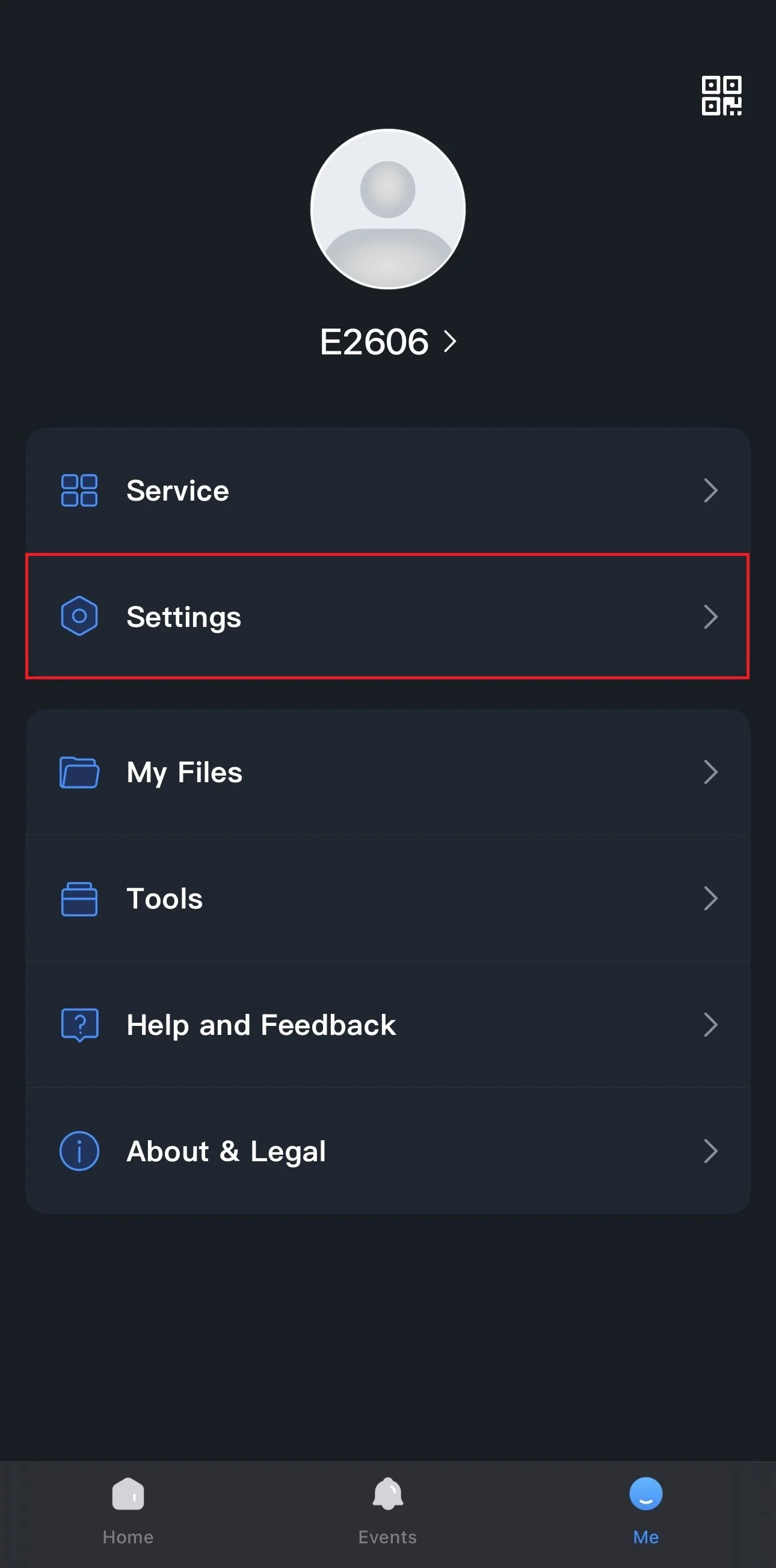
2.) Tap on Settings.
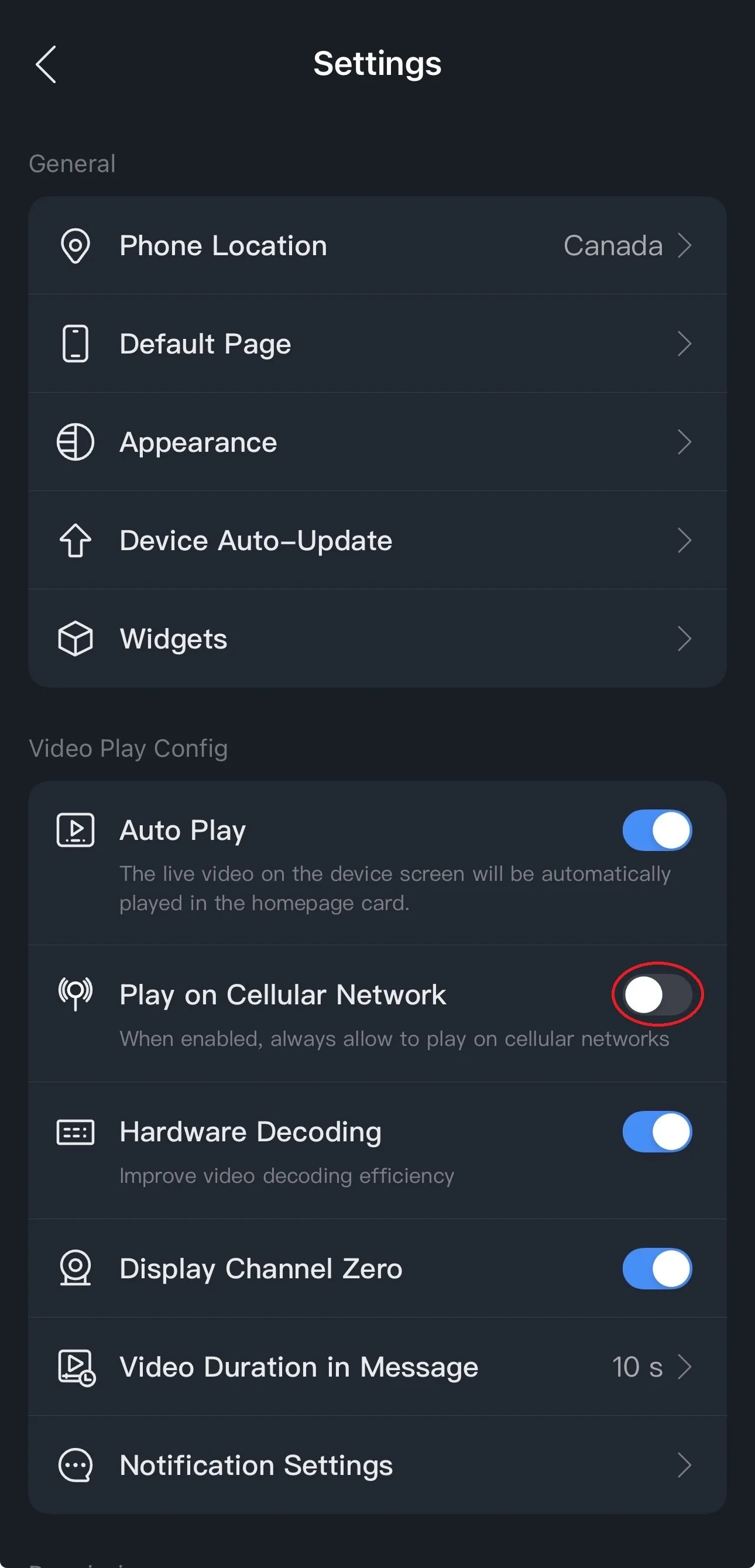
3.) Under Play on Cellular Network, tap the switch to enable or disable data use for DMSS.
Grey = off | Blue = on
Tap the back arrow on the top left corner and navigate back to Home.